


Pocket FM: Audio Series review
 Analysis by GetAllApps
I find Pocket FM: Audio Series works best when I treat it as a place to follow spoken stories, rather than as a general music player. It is a free audio app from PocketFM, aimed at listeners who enjoy ongoing fiction and want something to accompany a commute, a chore, or a quiet stretch of the evening. Its appeal is easy to understand: instead of choosing a song for a few minutes, I can settle into a narrated story and return to it later. That change in listening habit is also where some of the app’s friction begins.
Finding the right story can take patience
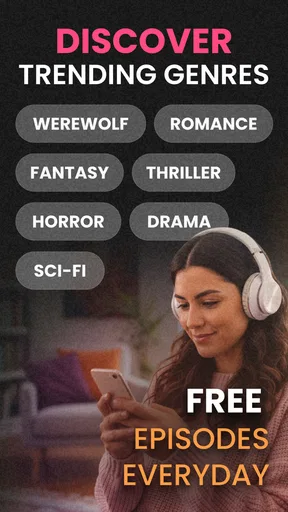
The first challenge is deciding what to listen to. A large collection sounds useful, but a listener who opens the app without a clear mood in mind may spend more time browsing than starting an episode. Pocket FM’s identity leans toward serialized audio fiction, including fantasy, romance, and supernatural themes. If vampires, wizards, werewolves, and relationship drama sound like good company, the premise is a natural fit. If you mainly want albums, radio, or a quick queue of familiar songs, this is the wrong starting point.
I recommend choosing by the kind of commitment you want, not just by an intriguing title. A continuing story is rewarding when you can give it regular attention, but less satisfying if you only listen in scattered fragments and forget where the plot left off. Before investing in a series, sample enough to judge the narrator, pacing, and tone. The writing may appeal to you while the performance does not, or a strong opening may lead into a style that feels too dramatic for your taste.
One useful habit is to keep your listening choice tied to a routine. I would pick a lighter series for errands and save a more intricate plot for a walk or a longer trip, when I can follow names and developments. This is more than a convenience: spoken fiction asks for attention in a different way from background music. When I am distracted, I may miss a key detail and have to rewind or replay part of the story. A simple, low-stakes episode is often the better choice for noisy surroundings.
Why a story may not feel right at first
Audio fiction depends heavily on voice and delivery. A narrator’s rhythm can make a familiar genre feel lively, while an overly intense performance can become tiring during a long session. I would not judge an entire listening app from one disappointing series; I would judge the specific combination of premise, narration, and episode style. Changing to another story is often more useful than trying to force yourself through one that does not click.
That said, browsing can be a real cost. If you want a highly predictable listening experience—press play, hear a known track, and move on—music services are usually more convenient. Pocket FM makes more sense when the question is “What happens next?” rather than “What song do I want now?” Its focus is a strength for fiction fans and a limitation for anyone seeking a broad audio toolbox.
Getting started without making it a project
I would begin with a straightforward setup: install the app, open it when you have a few uninterrupted minutes, and choose one story that matches your current mood. The app is rated Teen, which is useful context for families, but it is not a substitute for deciding whether a particular story suits an individual listener. I would preview the premise and listen together with a younger teen if the subject matter or tone is a concern.
It is also worth checking the app’s current purchase details before committing to anything. Pocket FM is free to install, but it offers in-app purchases, with listed item prices ranging from sixteen cents to around three hundred sixty-five dollars. That wide span makes it sensible to pause at any purchase screen, read what is being offered, and confirm the amount before proceeding. A free download does not mean every way of accessing content will necessarily feel free, so I would set expectations early, especially on a shared family device.
For a first session, I would avoid starting while multitasking through a complicated task. Give a story a fair test in a setting where you can hear the narration clearly, then decide whether you want to continue. If you are listening while cooking or doing housework, keep the phone in a safe, stable place and use the app in a way that does not distract you from the task. For driving, choose and start audio before setting off; do not browse while the vehicle is moving.
There is no need to turn setup into a lengthy checklist. If playback works and you can identify a story worth trying, you have enough to evaluate the basic experience. I would also keep the app updated through the relevant app store when a new version is available, since updates can address app-level problems. The version can change over time, so it is better to check the installed build in the store or device settings than rely on an old instruction or screenshot.
Make listening easier to resume
Serialized audio is most enjoyable when resuming does not become a memory test. I suggest stopping at a natural break when possible, rather than cutting off in the middle of a reveal or a conversation. If you do lose your place, use the available playback controls to revisit a short section instead of restarting an entire episode immediately. That small recovery step can help distinguish “I missed a line” from “I no longer remember the plot.”
Another practical tactic is to match the story to the length of the listening window. On a short walk, choose something you can pause without losing a complicated thread; on a longer journey, a continuing drama may be more absorbing. If you share a device or account with someone, agree on which story is being followed before you press play. Otherwise, a changed listening position can make the next session confusing, even though nothing is wrong with playback.
Recovering when playback or progress goes wrong
When an episode does not behave as expected, I start with the simplest checks rather than assuming the story or account is broken. Confirm that the device has a working internet connection if the content needs to load, then close and reopen the app and try again. If only one episode seems affected, test a different one. If everything is unresponsive, restart the device and check whether the app store offers an update. These are general troubleshooting steps, not a guarantee that every fault has the same cause.
If audio stops unexpectedly, I would first check the obvious interruptions: whether the device has switched output, whether another app has taken over audio, or whether the connection has become unreliable. Try playback again in a stable listening environment. If the problem persists across different stories and sessions, note what happens and when; that description is more useful when seeking help than a vague report that “the app is broken.” Avoid repeatedly making purchases or reinstalling in a hurry, particularly if you are unsure how an account or purchase will be restored.
For missing progress, make sure you are using the same account and device context you used previously, then reopen the relevant story and inspect its position. A pause in playback does not always mean the app has lost a place; it may simply have stopped at a different point than expected. If you cannot find the episode you remember, search by the series title and check the story itself before starting another one. Taking a quick mental note of the last plot event you heard can help you find the right point without replaying too much.
Purchases deserve a little extra care during recovery. If an item appears not to have unlocked, do not immediately buy it again. Check that the app store account and the account in use are the ones associated with the original transaction, then consult the app’s in-app support options if the issue remains. Keep any transaction details available for support, but do not share sensitive payment information in a public post. This approach reduces the chance of turning a small access problem into a duplicate charge.
When the cause is outside the app
Not every interruption points to Pocket FM. Weak connectivity can affect loading, and a phone’s audio settings or connected headphones can make playback seem silent or erratic. Battery-saving behavior, a busy device, or another app competing for sound may also affect the experience. I would test with another audio app or a different pair of headphones before concluding that a specific story has failed. If other audio behaves the same way, the more likely place to investigate is the device or connection.
Conversely, if music and other apps work normally but Pocket FM repeatedly fails on several stories, the issue may be app-specific. Update it, restart the device, and try again before escalating. If the problem continues, contact support through the app’s available channels and give a concise account of the steps you already tried. Avoid installing unofficial versions or following random advice that asks for account credentials; that creates more risk than it solves.
It is also worth separating a technical problem from a taste problem. A slow opening, a dramatic narration style, or a plot that takes time to develop may be intentional creative choices. If playback is clear and stable but you are not engaged, switching series is a better solution than troubleshooting the phone. That distinction matters because Pocket FM is built around stories, and no amount of resetting can make a genre or narrator suit every listener.
Where it fits among audio apps
Compared with a typical music-streaming app, Pocket FM is less about rapidly moving between tracks and more about staying with a narrative. Compared with podcasts, its strongest draw is serialized fiction and the feeling of returning to an ongoing dramatic world. Those comparisons are useful, but they also clarify what not to expect: I would not choose it as my only audio app if I need a dependable mix of music, spoken news, and practical listening tools in one place.
The app has a substantial audience, with an average rating of 4.4 from around 4.7 million ratings, and it has passed 100 million installs. Those figures suggest that the serialized-audio format has broad appeal, but they cannot tell me whether a particular narrator or storyline will suit you. PocketFM is the developer, and the app has been available since February 25, 2021. I see those details as context, not a reason to skip sampling a series yourself.
For a listener who enjoys fantasy, romance, and supernatural fiction, this is an easy app to try without paying to install it. For someone who dislikes cliffhangers, prefers short standalone pieces, or wants music first, I would look elsewhere or keep it as a niche companion. The Teen rating also makes it sensible for adults to review story choices rather than assume every title is appropriate for every younger listener.
My practical verdict
Pocket FM is worth trying if you want fiction to fill the small gaps in your day. I would use it for a commute as a passenger, household chores, or a walk where a continuing story feels more rewarding than a shuffled playlist. Start with one series, sample its narration, and see whether you naturally want to return. That is a better test than browsing endlessly or judging the whole service by a single episode.
My main reservation is that its focus can narrow the experience: the more you want a broad, predictable audio library, the less likely this is to replace your usual music or podcast app. Browsing and story selection can take patience, and purchase prompts deserve attention because the app includes optional items with widely varying prices. Still, for serialized audio fans, Pocket FM offers a clear reason to keep listening. I would recommend it to a friend who likes dramatic stories and has a routine that leaves room for episodes, while advising them to check the content and purchase choices that fit their own needs.
Pros and cons
Pros
- A large catalog makes it easy to find a series for different moods.
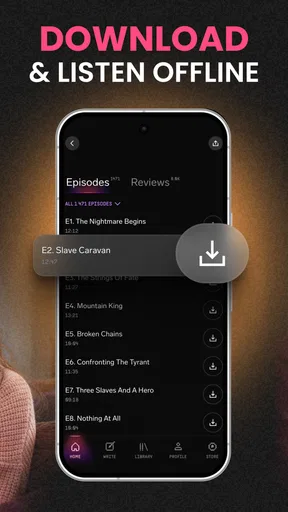
- Offline downloads let you listen without a steady internet connection.
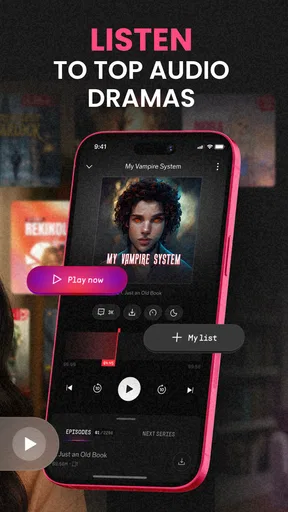
- Playback controls make it simple to pause and resume episodes.
- Personalized recommendations can help surface new audio series.
- Episodes suit listening while commuting or doing other routine tasks.
Cons
- Many popular series require paid access or episode purchases.
- Free listening may include ads and waiting periods.
- Some stories use cliffhangers that encourage continued spending.
- Audio quality and narration can vary between series.
- A large catalog can make it harder to find specific titles.


